外观
opc-ua示例
本文介绍了如何在开发环境中创建一个 OPC-UA 示例工程,并将其编译后下载到开发板上运行。旨在帮助读者进一步熟悉 RuiChing Studio 开发环境,掌握 OPC-UA 功能的使用。
OPC UA 的作用
OPC UA(OPC Unified Architecture)是一种面向工业自动化领域的跨平台通信协议,采用面向服务(SOA)的架构,致力于实现不同设备、系统与软件之间的可靠通信与数据互通。其主要作用包括:
统一数据模型: 提供结构化的对象模型,可描述设备状态、变量、方法等,使不同厂商设备之间的数据具有一致的语义表达。
安全通信: 内置安全机制,包括加密、认证、授权、会话管理与完整性保护,满足工业系统对安全性的高要求。
可靠交互: 采用客户端/服务器和发布/订阅两种模式,可实现实时监控、方法调用、事件订阅等多种通信场景,适用于工业控制与数据采集。
运行 OPC UA 示例
本示例以演示开发板作为 OPC UA 服务器或者客户端,便于在开发板上快速验证 OPC UA 通信功能。
准备
PC 端下载 OPC UA 的服务器和客户端:
下载客户端:https://www.unified-automation.com/downloads/opc-ua-clients.html
下载服务器:https://prosysopc.com/products/opc-ua-simulation-server/
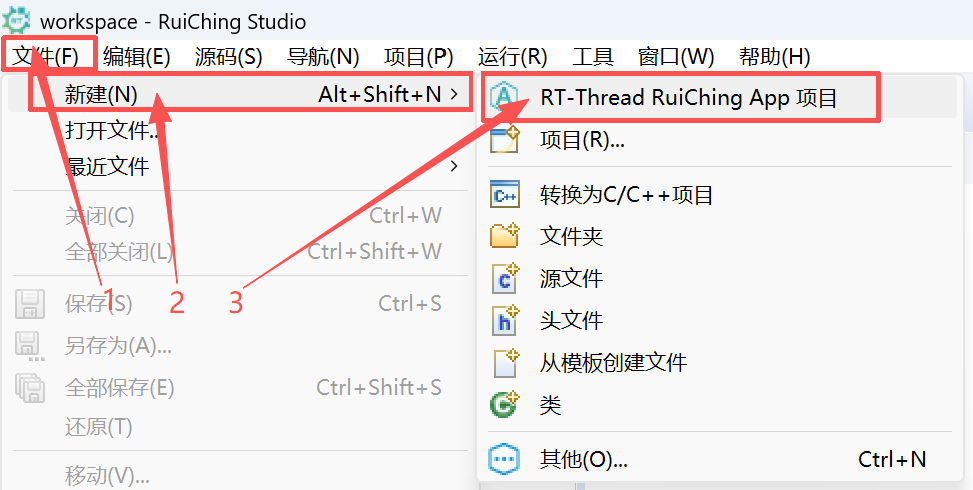
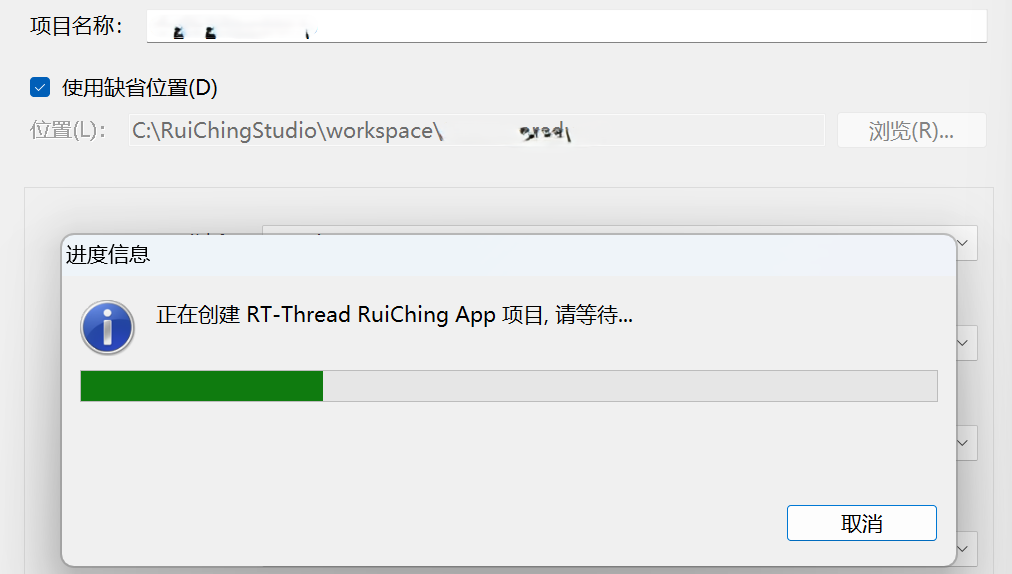
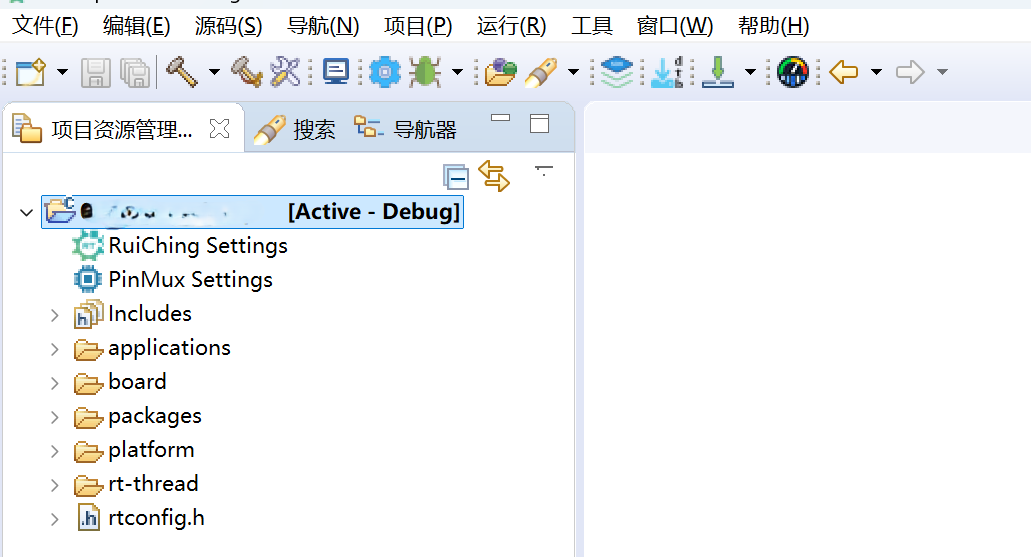
创建工程点击展开

构建工程点击展开
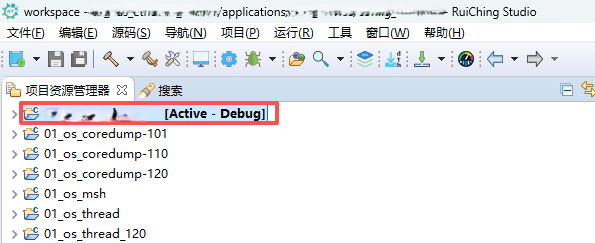

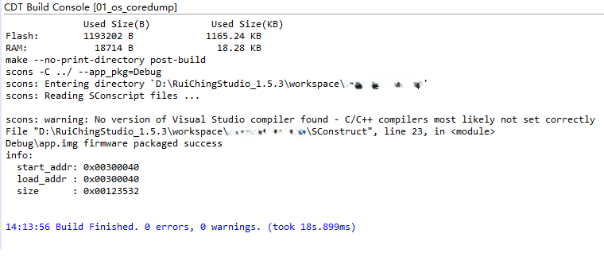
固件下载点击展开


核心示例代码
open62541_server:创建并启动 OPC UA 服务器线程。内部通过 rt_thread_create 创建名为 "open62541" 的独立任务,执行服务器主循环 opc_ua_server_entry,使设备以 OPC UA Server 的身份对外提供变量数据。
opc_ua_server_entry(线程入口):OPC UA 服务器的核心任务函数,负责初始化服务器、配置端点、创建节点以及循环处理客户端请求,是整个服务器模式的主执行体。(你没贴代码,但这是该线程最核心的功能)
open62541_client:以 OPC UA 客户端身份连接远程服务器。接收用户输入的 IP 和端口号,拼接成 URL,并调用 open62541 客户端 API 建立连接,用于主动访问其它设备的 OPC UA 服务。
UA_Client_connect:负责与远端 OPC UA Server 建立安全会话,完成会话协商、端点选择等 OPC UA 标准流程,是客户端访问服务器的关键步骤。
UA_Client_readValueAttribute:从服务器读取指定 NodeId 的变量值。示例中读取节点 "the.answer",并对返回的 UA_Variant 数据进行解析,实现客户端读取服务器数据的基本功能。
UA_Variant_clear:释放读操作返回的数据结构,防止内存泄漏,是 OPC UA 中 Variant 类型的必要清理操作。
int open62541_server(int argc, char** argv)
{
    rt_thread_t tid = RT_NULL;

    tid = rt_thread_create("open62541", opc_ua_server_entry, RT_NULL, 102400, 25, 10);
    if (tid != RT_NULL)
    {
        rt_thread_startup(tid);
    }
    else
    {
        rt_kprintf("rt_thread_create: failed!\n");
        return -RT_ERROR;
    }

    return RT_EOK;
}
MSH_CMD_EXPORT(open62541_server, open62541_server);

int open62541_client(int argc, char **argv)
{
    char ip_data[50] = {0};

    if (argc != 3)
    {
        rt_kprintf("open62541_client [ip] [port]\n");
        return -RT_ERROR;
    }
    rt_sprintf(ip_data,"opc.tcp://%s:%s", argv[1], argv[2]);

    UA_Client *client = UA_Client_new();
    UA_ClientConfig_setDefault(UA_Client_getConfig(client));

    UA_StatusCode retval = UA_Client_connect(client, ip_data);
    if(retval != UA_STATUSCODE_GOOD)
    {
        UA_Client_delete(client);
        return (int)retval;
    }

    /*read the value attribute of the node.UA_Client_readValueAttribute is a wrapper for the
    raw read service available as UA_Client_Service_read.*/
    UA_Variant value;
    UA_Variant_init(&value);

    UA_NodeId testvar = UA_NODEID_STRING(1,"the.answer");
    retval = UA_Client_readValueAttribute(client, testvar, &value);

    if(retval == UA_STATUSCODE_GOOD)
    {
        UA_Int32 *p = (UA_Int32 *)value.data;
        rt_kprintf("[%s] = [%d] \n", testvar.identifier.byteString.data, *p);
    }
    else
    {
        rt_kprintf("read [%s] failed\n", testvar.identifier.byteString.data);
    }

    /*Clean up */
    UA_Variant_clear(&value);
    UA_Client_delete(client);

    return EXIT_SUCCESS;
}
MSH_CMD_EXPORT(open62541_client, open62541_client);
运行示例
操作步骤
1. 查看 PC 网络
在 windows cmd 中执行 ifconfig 命令,查看本机的 IP 地址、子网掩码及默认网关信息。
C:\Users\RTT>ipconfig
Windows IP 配置

以太网适配器 以太网 3:

   连接特定的 DNS 后缀 . . . . . . . :
   本地链接 IPv6 地址. . . . . . . . : fe80::7d67:5009:3548:6074%24
   IPv4 地址 . . . . . . . . . . . . : 192.168.3.11
   子网掩码  . . . . . . . . . . . . : 255.255.255.0
   默认网关. . . . . . . . . . . . . : 192.168.3.1
2. 配置开发板网络
在串口调试助手中,通过命令行 ifconfig e1 192.168.3.100 192.168.3.1 255.255.255.0 设置开发板的 IP 地址、默认网关和子网掩码,确保其与本机 IP 处于同一网段且网络配置一致。
msh />ifconfig e1 192.168.3.100 192.168.3.1 255.255.255.0
config : e1
IP addr: 192.168.3.100
Gateway: 192.168.3.1
netmask: 255.255.255.0
3. 在开发板上运行 OPC UA 服务器程序 open62541_server <net dev name>
msh />open62541_server e1
msh />opc ua server ip :192.168.3.100 port:4840
[2000-01-01 01:38:56.000 (UTC+0000)] warn/server        AccessControl: Unconfigured AccessControl. Users have all permissions.
[2000-01-01 01:38:56.000 (UTC+0000)] warn/server        Username/Password configured, but no encrypting SecurityPolicy. This can leak credentials on the network.
[2000-01-01 01:38:56.000 (UTC+0000)] warn/userland      AcceptAll Certificate Verification. Any remote certificate will be accepted.
[2000-01-01 01:38:58.000 (UTC+0000)] warn/channel       Connection 5 | SecureChannel 1 | ActivateSession: Session not found
[2000-01-01 01:39:01.000 (UTC+0000)] warn/channel       Connection 6 | SecureChannel 2 | ActivateSession: Session not found
4. 在 PC 上使用客户端登录
打开下载好的 UaExpert 上位机客户端点击+号
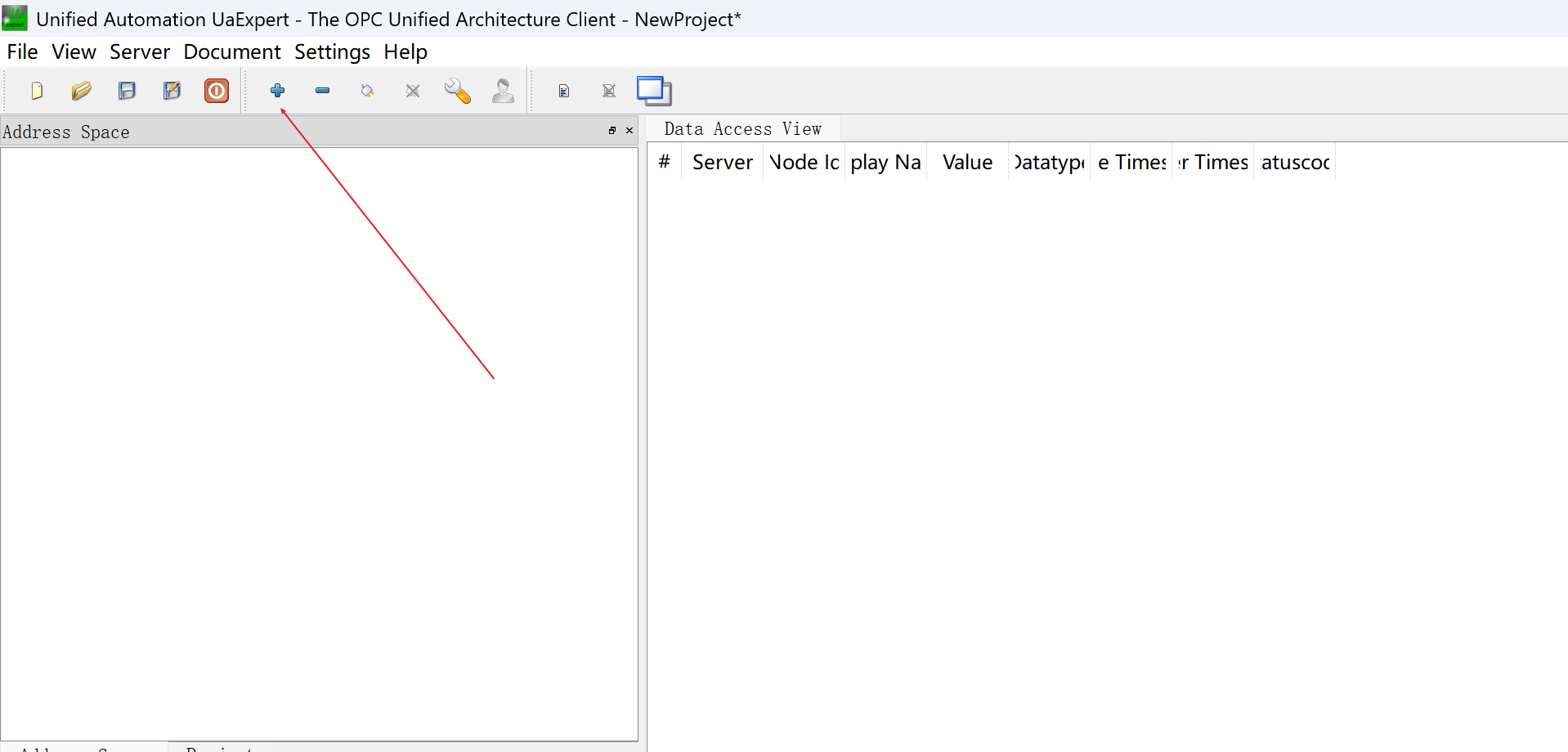
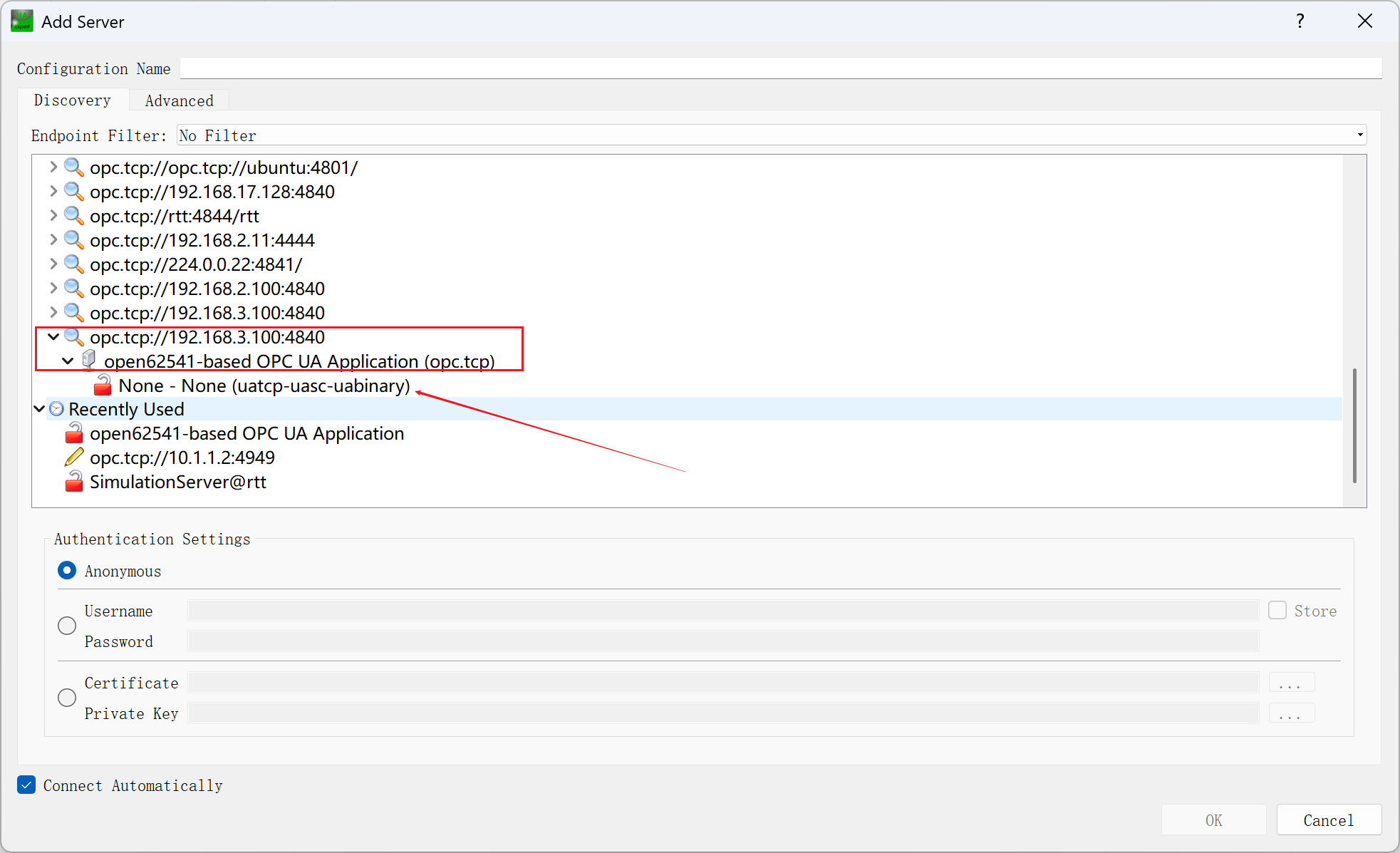
双击添加服务器配置:输入opc.tcp://<ip>:<port>,默认端口 4840
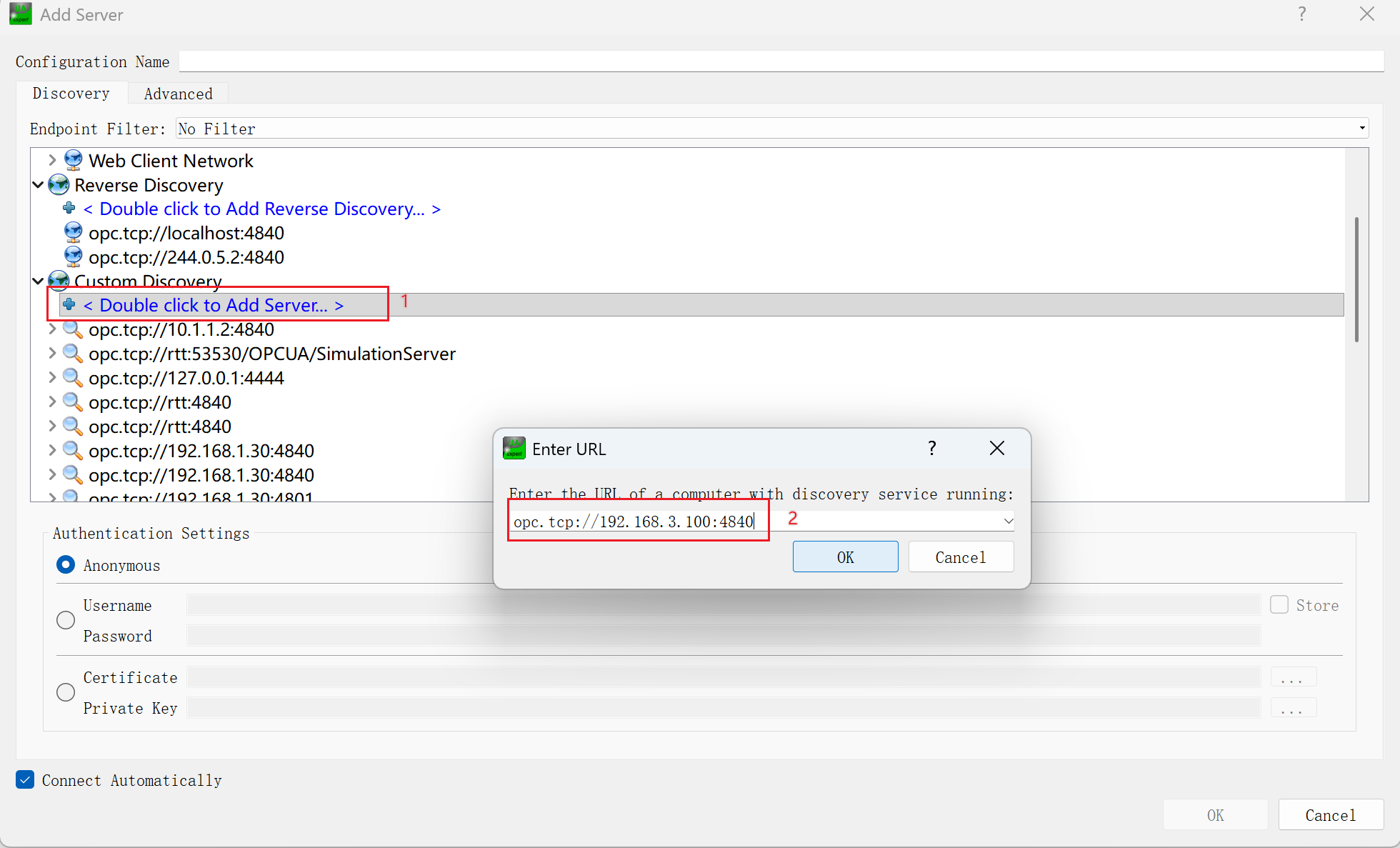
可以在下面显示对应服务器,单击点开对应的服务器配置,双击连接服务器
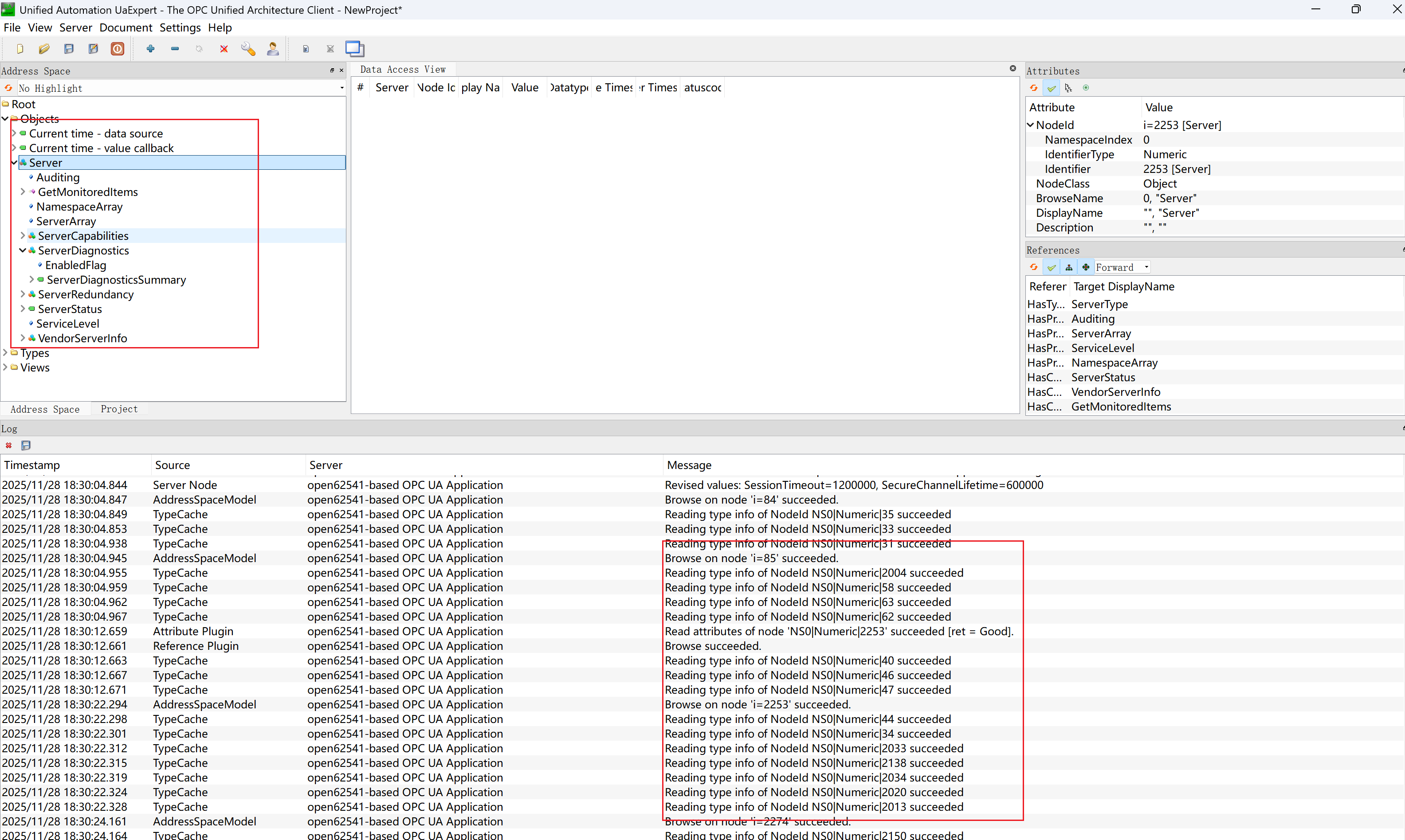
连接以后,点击左侧的数据,可以在下方日志栏里看到对应数据
5. 按键复位
按下复位按键等待重启
6. 在 PC 上打开 OPC UA 服务器
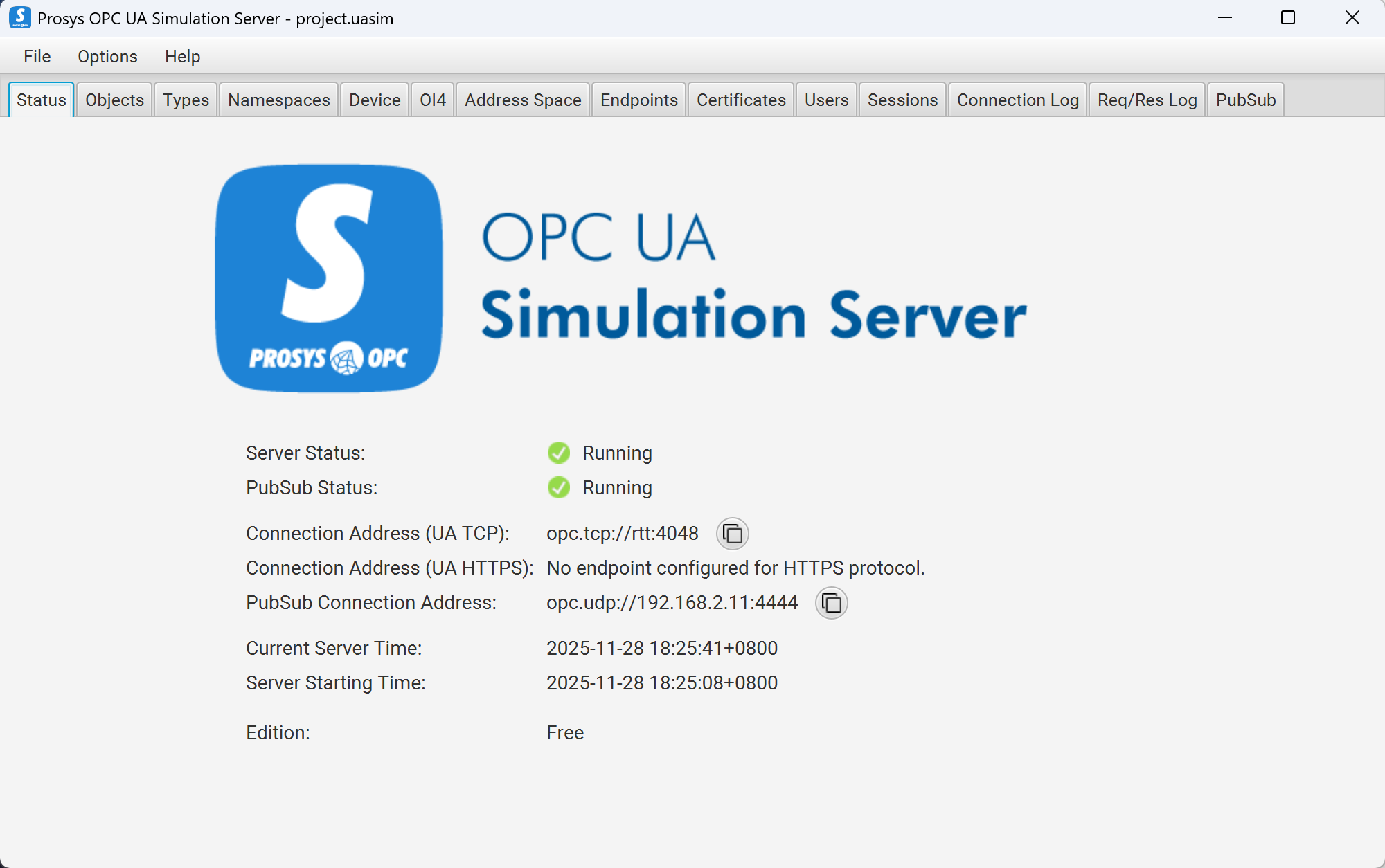
在 endpoints 中设置端口,并确认。
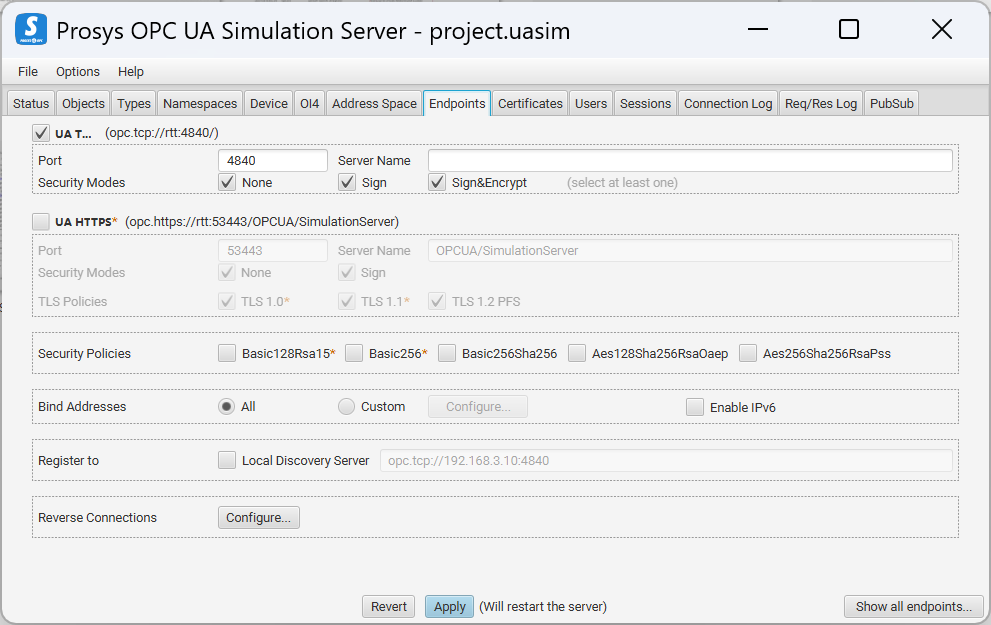
7. 在开发板上运行 OPC UA 客户端程序
msh />open62541_client 192.168.3.11 4840
[2000-01-01 00:26:14.000 (UTC+0000)] warn/userland      AcceptAll Certificate Verification. Any remote certificate will be accepted.
[2000-01-01 00:26:14.000 (UTC+0000)] info/channel       Connection 5 | SecureChannel 2 | SecureChannel opened with SecurityPolicy http://opcfoundation.org/UA/SecurityPolicy#None and a revised lifetime of 600.00s
[2000-01-01 00:26:14.000 (UTC+0000)] info/client        Client Status: ChannelState: Open, SessionState: Closed, ConnectStatus: Good
[2000-01-01 00:26:14.000 (UTC+0000)] info/client        Selected Endpoint opc.tcp://rtt:4840 with SecurityMode None and SecurityPolicy http://opcfoundation.org/UA/SecurityPolicy#None
[2000-01-01 00:26:14.000 (UTC+0000)] info/client        Selected UserTokenPolicy anonymous with UserTokenType Anonymous and SecurityPolicy http://opcfoundation.org/UA/SecurityPolicy#None
[2000-01-01 00:26:15.000 (UTC+0000)] info/client        Client Status: ChannelState: Open, SessionState: Created, ConnectStatus: Good
[2000-01-01 00:26:15.000 (UTC+0000)] info/client        Client Status: ChannelState: Open, SessionState: Activated, ConnectStatus: Good
read [the.answer] failed
[2000-01-01 00:26:15.000 (UTC+0000)] info/client        Client Status: ChannelState: Closed, SessionState: Closed, ConnectStatus: Good
查看结果
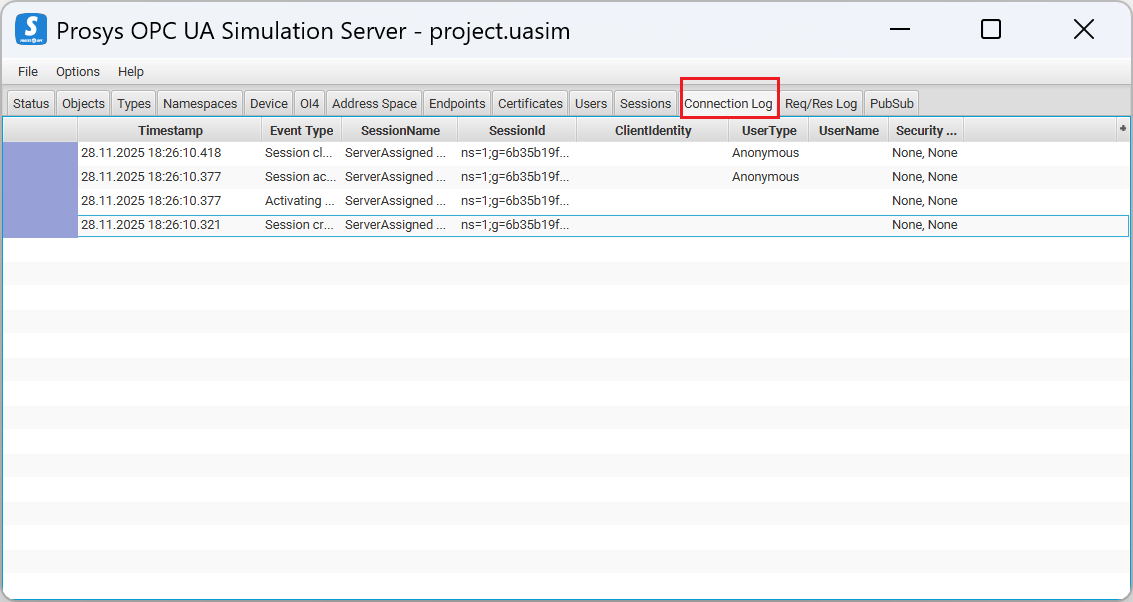
可以在服务器的 connection log 栏中看到对应的数据日志