
外观
TCP 服务器
概述
本文将介绍如何基于 睿擎工业开发平台 实现 TCP 服务器通信,以开发板作为 TCP 服务器与客户端交互为例,演示网络数据的接收与发送操作,并通过实际运行验证通信功能,帮助读者掌握 TCP 协议的标准通信流程及本平台下的网络编程方法。
TCP 服务器
开发板作为 TCP 服务器与 TCP 客户端通信时,会将接收到的消息打印出来,并回复消息“This is TCP Server from RT-Thread.”。
创建工程点击展开
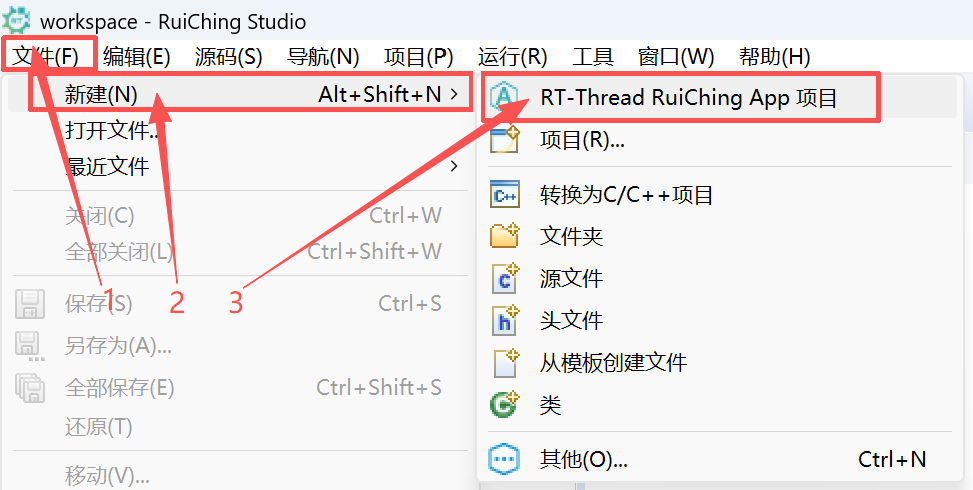

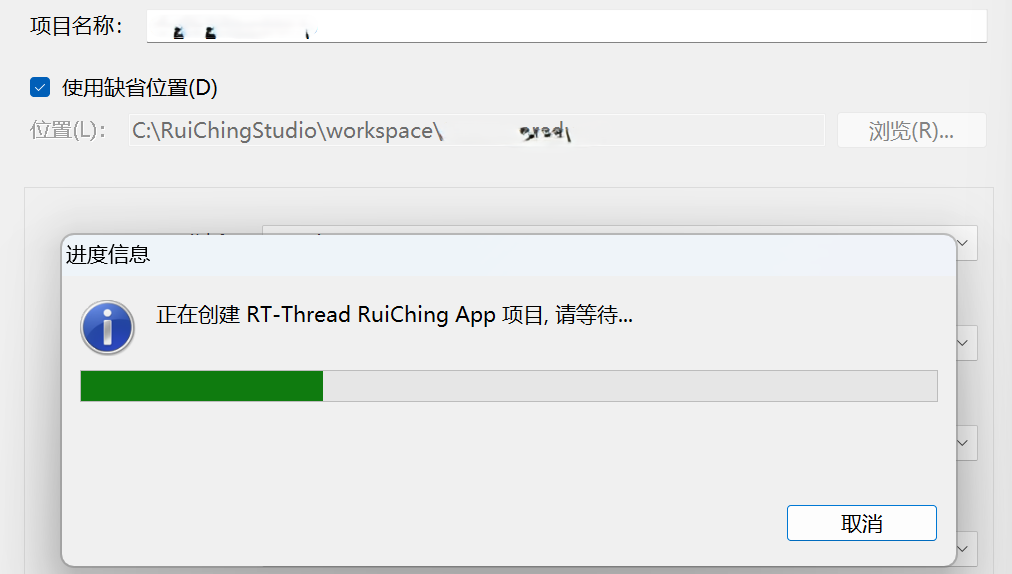
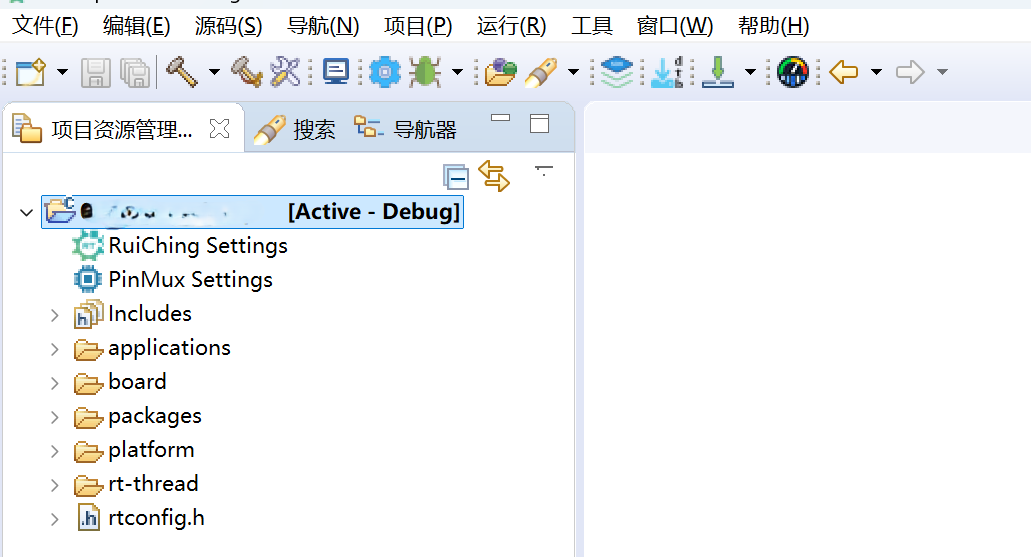
构建工程点击展开
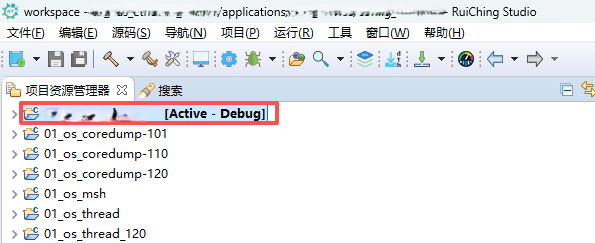

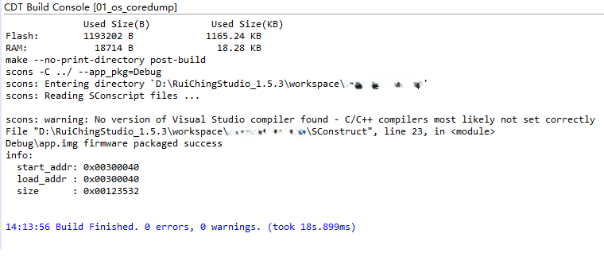
固件下载点击展开


核心示例代码
工程生成的 tcpserver.c 文件中,核心代码为 tcpserv()函数,下面详细分析:
套接字初始化与绑定
其中,
INADDR_ANY使服务器监听所有网络接口,listen(10)表示最多允许 10 个待接受连接。if ((sock = socket(AF_INET, SOCK_STREAM, IPPROTO_TCP)) == -1) //创建 TCP 套接字 { LOG_E("Create socket error"); goto __exit; } // 设置套接字选项 server_addr.sin_family = AF_INET; server_addr.sin_port = htons(port); server_addr.sin_addr.s_addr = INADDR_ANY; rt_memset(&(server_addr.sin_zero), 0x0, sizeof(server_addr.sin_zero)); // 绑定套接字 if (bind(sock, (struct sockaddr *)&server_addr, sizeof(struct sockaddr)) == [!code warning] -1) [!code warning] { LOG_E("Unable to bind"); goto __exit; } if (listen(sock, 10) == -1) // 开始监听 { LOG_E("Listen error"); goto __exit; } LOG_I("\nTCPServer Waiting for client on port %d...\n", port);等待客户端连接
通过
select实现非阻塞 IO,避免线程因等待连接而长时间阻塞。while (is_running) { FD_ZERO(&readset); FD_SET(sock, &readset); LOG_I("Waiting for a new connection..."); /* Wait for read or write */ if (select(sock + 1, &readset, RT_NULL, RT_NULL, &timeout) == 0) // 等待客户端连接 { continue; } connected = accept(sock, (struct sockaddr *)&client_addr, &sin_size);// 接受客户端连接 if (connected < 0) { LOG_E("accept connection failed! errno = %d", errno); continue; }数据收发
数据处理流程:
使用
select()监听客户端套接字connected的数据到达;recv()接收数据并添加字符串终止符;根据数据内容执行不同逻辑;
向客户端发送固定响应
send_data。while (is_running) { FD_ZERO(&readset_c); FD_SET(connected, &readset_c); /* Wait for read or write */ if (select(connected + 1, &readset_c, RT_NULL, RT_NULL, &timeout) == // 等待客户端数据 0) { continue; } bytes_received = recv(connected, recv_data, BUFSZ, 0); // 接受数据 if (bytes_received < 0) { LOG_E("Received error, close the connect."); closesocket(connected); connected = -1; break; } else if (bytes_received == 0) { LOG_W("Received warning, recv function return 0."); continue; } else { recv_data[bytes_received] = '\0'; if (strcmp(recv_data, "q") == 0 || strcmp(recv_data, "Q") == 0) { LOG_I("Got a 'q' or 'Q', close the connect."); closesocket(connected); connected = -1; break; } else if (strcmp(recv_data, "exit") == 0) { closesocket(connected); connected = -1; goto __exit; } else { LOG_D("Received data = %s", recv_data); } } ret = send(connected, send_data, rt_strlen(send_data), 0); // 发送固定响应 if (ret < 0) { LOG_E("send error, close the connect."); closesocket(connected); connected = -1; break; } else if (ret == 0) { LOG_W("Send warning, send function return 0."); } }
运行示例
操作步骤
查看服务器 IP
在
windows cmd中执行ifconfig命令,查看本机的 IP 地址、子网掩码及默认网关信息。C:\Users\RTT>ipconfig Windows IP 配置 以太网适配器 以太网: 连接特定的 DNS 后缀 . . . . . . . : 本地链接 IPv6 地址. . . . . . . . : fe80::a910:b54e:fcf2:aacd%6 IPv4 地址 . . . . . . . . . . . . : 10.23.8.146 子网掩码 . . . . . . . . . . . . : 255.255.255.0 默认网关. . . . . . . . . . . . . : 10.23.8.254 无线局域网适配器 WLAN: 媒体状态 . . . . . . . . . . . . : 媒体已断开连接 连接特定的 DNS 后缀 . . . . . . . : Lan设置开发板 IP
在串口调试助手中,通过命令行
ifconfig e0 10.23.8.38 10.23.8.254 255.255.255.0设置开发板的 IP 地址、默认网关和子网掩码,确保其与本机 IP 处于同一网段且网络配置一致。msh />ifconfig e0 10.23.8.38 10.23.8.254 255.255.255.0 config : e0 IP addr: 10.23.8.38 Gateway: 10.23.8.254 netmask: 255.255.255.0启动服务器
输入命令:
tcpserver -p 5001,启动 TCP 服务器,然后开启连接监听。msh />tcpserver -p 5001 [I/TCP] TCPserver waiting for client on port 5001... [I/TCP] Waiting for a new connection... [I/TCP] Waiting for a new connection...启动客户端
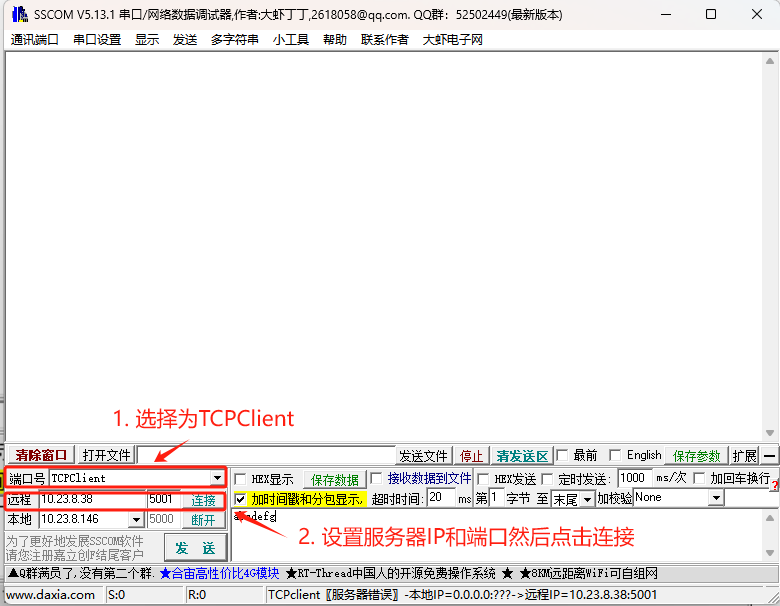
启动客户端程序后,将服务器 IP 设置为开发板 IP 并配置端口号,然后启动 TCP 客户端。
预期结果
成功建立连接后,服务器能接收客户端发送的数据并回复固定消息。
msh />tcpserver -p 5001
[I/TCP] TCPServer Waiting for client on port 5001...
[I/TCP] Waiting for a new connection...
[I/TCP] Waiting for a new connection...
[I/TCP] Waiting for a new connection...
[I/TCP] I got a connection from (10.23.8.146, 59057)
[D/TCP] Received data = abcdefg
[18:11:02.968]发→◇abcdefg□
[18:11:02.969]收←◆This is TCP Server from RT-Thread.