
外观
线程示例
概述
本文介绍如何在 睿擎工业开发平台 中创建并运行 线程 示例工程。通过初始化并启动两个具有不同优先级的线程,演示了多任务在 RT-Thread 中的基础调度方式。
线程简介
线程(thread)是实时操作系统(RTOS)中实现多任务处理的核心机制。它代表了一个独立的执行流,允许系统在同一时间内并发运行多个逻辑任务。通过合理分配线程优先级与时间片,RTOS 能够实现多任务的实时调度,从而使复杂的应用功能(如传感器监测、界面更新、通信处理等)能够有序、高效地并行执行。
构建与烧录
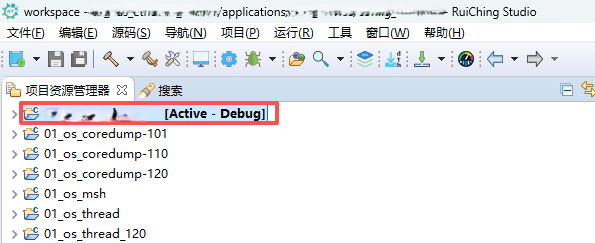
创建工程点击展开


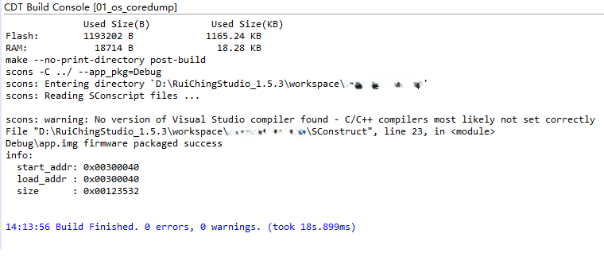
构建工程点击展开

固件下载点击展开


核心示例代码
线程示例相关 API
rt_thread_init:静态初始化线程,静态初始化线程(需手动定义线程控制块和栈空间)rt_thread_startup:启动线程,将线程加入调度器,使其进入就绪状态
static void _thread1_entry(void *param)
{
    rt_uint32_t count = 0;

    while (1)
    {
        rt_kprintf("thread1 count: %d\n", count++);
        rt_thread_mdelay(500);
    }
}

static void _thread2_entry(void *param)
{
    rt_uint32_t count = 0;

    while (1)
    {
        rt_kprintf("thread2 count: %d\n", count++);
        rt_thread_mdelay(1000);
    }
}

int thread_example(void)
{
    rt_thread_init(&_thread1, THREAD1_NAME, _thread1_entry, RT_NULL,
                   &_thread1_stack[0], sizeof(_thread1_stack), THREAD_PRIORITY,
                   THREAD_TIMESLICE);// 静态初始化线程
    rt_thread_startup(&_thread1);// 启动线程

    rt_thread_init(&_thread2, THREAD2_NAME, _thread2_entry, RT_NULL,
                   &_thread2_stack[0], sizeof(_thread2_stack),
                   THREAD_PRIORITY - 1, THREAD_TIMESLICE);// 静态初始化线程
    rt_thread_startup(&_thread2);// 启动线程

    return 0;
}
运行示例
操作步骤
- 将程序下载到开发板
- 打开串口终端连接开发板
- 输入
thread_example命令
预期结果
- 线程 1 和线程 2 启动后分别进入各自的循环,并在串口独立打印递增的计数器数值
- 线程 2 优先级比线程 1 高一级,启动时会率先抢占 CPU 执行并打印首次计数
- 线程 1 每隔 500 毫秒打印并运行一次,线程 2 每隔 1000 毫秒打印并运行一次
- 最终两个线程在各自的延时挂起与唤醒状态间交替切换,在 while(1) 中无限循环不退出
msh />thread_example
msh />thread2 count: 0
thread1 count: 0
thread1 count: 1
thread2 count: 1
thread1 count: 2
thread1 count: 3
thread2 count: 2
thread1 count: 4
thread1 count: 5
thread2 count: 3
thread1 count: 6
thread1 count: 7
thread2 count: 4
thread1 count: 8
thread1 count: 9
thread2 count: 5
thread1 count: 10
...